From spectra to a study#
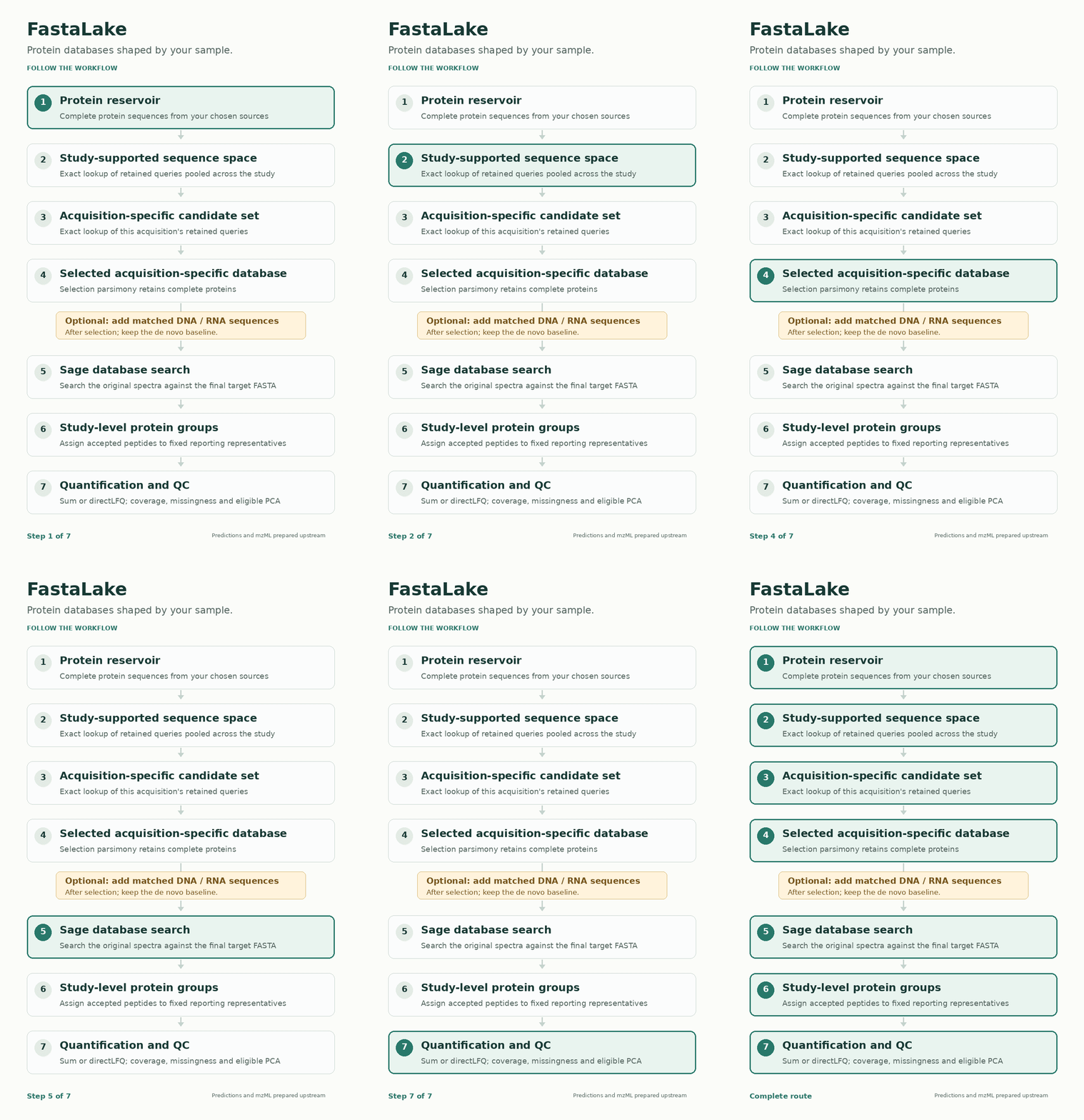
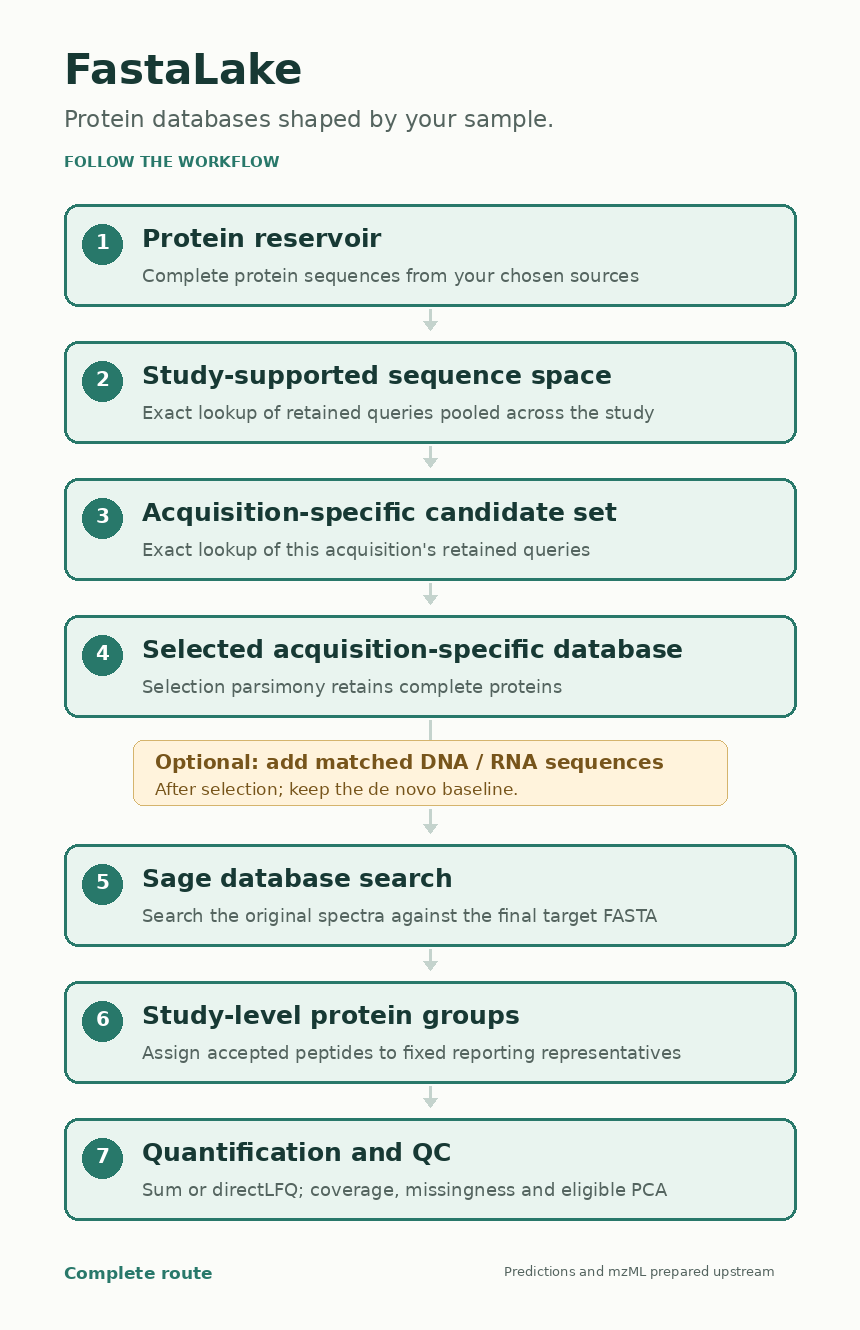
FastaLake first chooses which complete protein sequences to search. It then searches the measured spectra and organizes accepted peptide evidence across your study. Here is what changes at each step.
Conversion to mzML and de novo sequencing happen upstream. Bring a prepared protein reservoir, predictions and one mzML per acquisition.
1. Prepare the protein reservoir#
Pool the protein sequences you want to make searchable. Exact duplicates can share one stored record while their source headers remain available. The standard workflow applies no additional similarity clustering.
flowchart TD
    A["Protein FASTAs from selected sources"] --> B["Clean sequences and deduplicate exact sequence bytes"]
    B --> C["Protein reservoir / reference lake"]
    B --> D["Source-header and provenance table"]
Start with choosing references and building a lake. Protein hashes preserve I and L; peptide matching treats them as equivalent.
2. Find the study-supported sequence space#
Filter and rank predictions within each acquisition, then pool the retained
queries. Exact substring lookup keeps reservoir proteins containing at least
one query. The result is called evidence.fasta.
flowchart TD
    P["Predictions for each acquisition"] --> F["Check score, length and sequence complexity"]
    F --> K["Keep the top score fraction per acquisition<br/>Include all ties at the cutoff"]
    K --> N["Treat I/L as equivalent; collapse duplicate queries"]
    N --> U["Pool retained queries across the study"]
    R["Protein reservoir"] --> L["Exact peptide lookup"]
    U --> L
    L --> E["Study-supported sequence space"]
With fraction f and n eligible rows, the score at rank ⌈f × n⌉ defines the cutoff. Ties may retain more than f of the rows. Standard lookup uses the top 30% of eligible rows, lengths 9–50 and positive finite scores. Low-complexity filtering happens before I/L collapse; the algorithm guide gives the exact rules.
3. Retrieve candidates for one acquisition#
Query the study-supported space with that acquisition's own retained peptides. A protein does not enter its candidate set simply because another acquisition retrieved it.
flowchart TD
    E["Study-supported sequence space"] --> L["Exact peptide lookup"]
    P["One acquisition's retained queries"] --> L
    L --> C["Acquisition-specific candidate set"]
With the same query policy and no intervening transformation, this returns the same candidates as querying the full reservoir directly. The pooled step saves repeated scans of the larger collection.
4. Select a compact database#
Selection parsimony maps all eligible predictions from the acquisition onto its candidates, including eligible predictions below the top-30% lookup cutoff. Each distinct I/L-equivalent evidence sequence counts once.
flowchart TD
    C["Acquisition-specific candidate set"] --> M["Map eligible predicted peptides to candidates"]
    P["All eligible predictions from this acquisition"] --> M
    M --> N["Count unique and total evidence once per protein"]
    N --> T["Rank: unique count, total count,<br/>FNV-1a accession hash, lexical accession"]
    T --> A["Assign each mapped peptide to one compatible protein"]
    A --> R["Retain complete proteins receiving an assignment"]
    R --> D["Selected acquisition-specific database"]
Counts stay fixed during assignment. Shared peptides can retain a protein, so selection supports a searchable sequence without proving a unique protein identity. This rule does not guarantee a minimum set cover. See the worked razor example.
5. Add matched molecular evidence, when available#
The de novo database can go straight to search. If matched DNA/RNA measurements are available, their supported exact protein sequences can be added after selection, retaining the baseline sequences and headers.
flowchart TD
    D["Selected de novo database"] --> F["Final target FASTA"]
    M["Specimen-matched gene FASTA and DNA/RNA TPM"] --> V["Verify specimen, gene IDs and sequence coverage"]
    V --> K["Select DNA and RNA genes independently"]
    K -.-> F
    F --> S["Database search"]
Missing measurements supply no support. Molecular evidence nominates candidates; the spectra still determine search acceptance. Prepare matched molecular inputs.
6. Search the original spectra#
Sage searches the final target FASTA against the acquisition's mzML. The search configuration records digestion, modifications, tolerances and confidence settings.
flowchart TD
    F["Final target FASTA"] --> S["Sage target-decoy search"]
    M["Original acquisition: mzML"] --> S
    S --> P["Peptide-spectrum matches and confidence estimates"]
    P --> A["Accept target peptides at the declared peptide-q threshold"]
    S --> L["LFQ peptide-feature intensities"]
    A --> G["Study-level reporting"]
    L --> G
The standard search allows 5–50-residue peptides. The nine-residue minimum for de novo lookup is a separate setting. Complete proteins make additional peptides available to the search. Choose search settings.
7. Group, quantify and inspect the study#
Pool accepted peptide evidence across the declared acquisitions, using only proteins from the FASTAs actually searched. Build a fixed reporting dictionary, then assign each peptide to its first selected compatible representative.
flowchart TD
    P["Accepted canonical peptides across the study"] --> G["Observed peptide-to-protein graph"]
    F["Union of proteins in the searched FASTAs"] --> G
    G --> C["Greedy cover: choose the most uncovered peptides<br/>Resolve equal gains by lexical accession"]
    C --> D["Fixed study-level representatives"]
    D --> A["Assign each peptide once to its first compatible representative"]
    L["Positive finite LFQ features with accepted local peptide evidence"] --> Q["Sum or directLFQ"]
    A --> Q
    Q --> M["Study-group matrix; retain missing cells"]
    M --> V["Coverage and missingness QC; PCA when eligible"]
Selection parsimony uses predicted evidence and fixed counts. Post-search greedy cover uses accepted evidence and updates uncovered-peptide counts. Group labels are stable within the resulting dictionary; they do not establish unique protein or species origin.
Start with reading results, then quantification and downstream analysis. Taxonomy and functional annotation are optional follow-up analyses. Search q values and grouping do not by themselves establish whole-workflow error control.